
Cross-platform app development refers to creating software that runs on Android and iOS from a single codebase, using presentation, logic, and data to keep them consistent. Flutter is used by 46% of software developers worldwide, the most of any cross-platform framework, with React Native and Kotlin among the leading frameworks. Instagram, PayPal, and Netflix show the approach of cross-platform.
The process moves through UI design, coding, and testing on different devices and Operating Systems (OS) before deployment. The cross-platform approach is what makes modern development of mobile apps faster and more cost-efficient than maintaining separate native codebases.
What is Cross Platform App Development?
Cross-platform app development is the process of creating software applications that run on multiple operating systems, such as Android and iOS, using a single codebase.
Unlike native app development, which requires separate code for each platform, cross-platform development eases the development process by enabling developers to build one application that works across multiple platforms.
Cross-platform app development involves writing the application logic in unified programming languages, such as JavaScript (React Native), Dart (Flutter), or C# (.NET MAUI).
These frameworks translate the code into platform-specific components, allowing the app to access native features like the camera, notifications, and GPS.
The process includes phases such as planning, designing, coding, and testing. It ensures that the app functions optimally across different devices while maintaining a consistent user experience.
What are the Components of a Cross Platform App Architecture?
The common components of cross-platform app architecture include the User Interface Layer and the Shared Business Logic Layer. Additional elements include the Data Persistence Layer, Network/Service Integration Layer, and Platform Abstraction Layer.
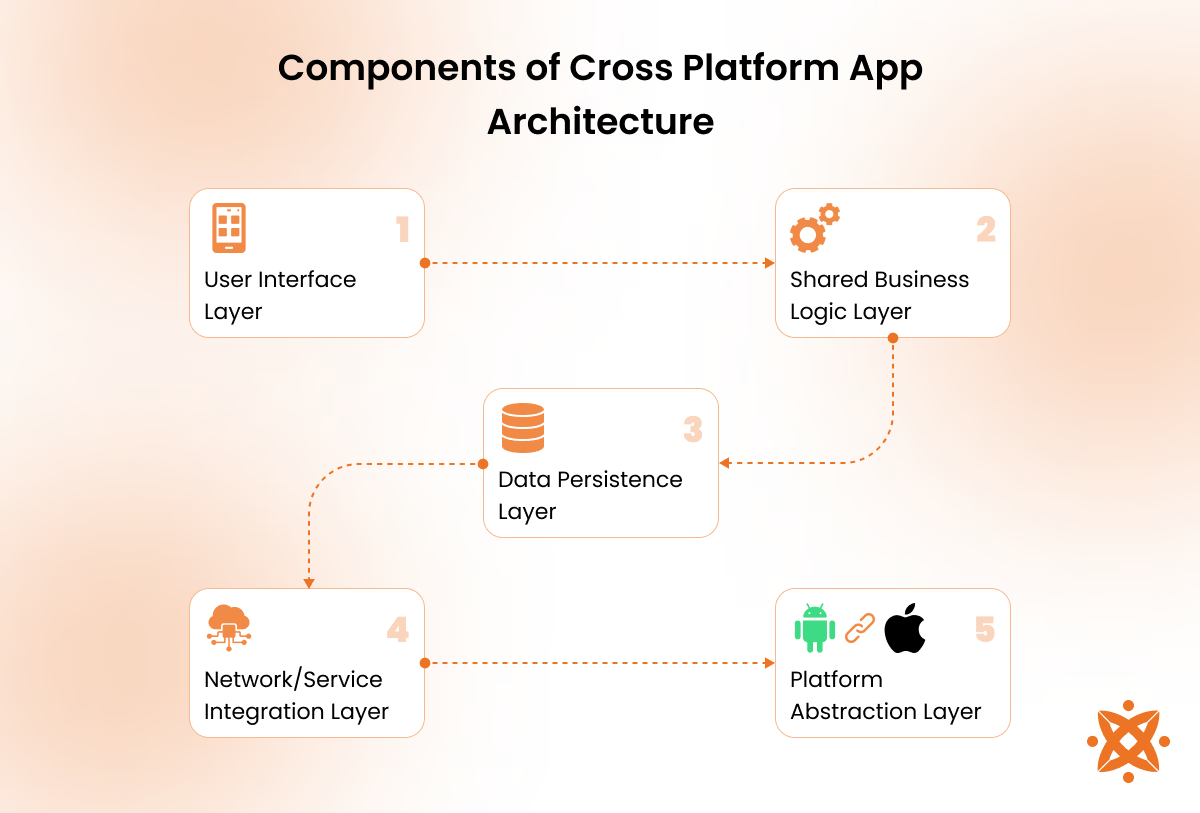
The components of a cross-platform app architecture are explained below:
- User Interface Layer: This layer manages the app's front-end design and ensures the user interface adapts to different platforms while providing a consistent user experience.
- Shared Business Logic Layer: This layer handles the app's core business logic and operations, such as data processing and calculations, shared across platforms to maintain a single source of truth.
- DataPersistenceLayer: This layer manages data storage and retrieval and ensures information is stored locally or remotely through databases or file systems.
- Network/Service Integration Layer: This component connects the app to external services and APIs for real-time data exchange, enabling functionality like payments, notifications, or third-party services.
- Platform Abstraction/Bridging Layer: This layer abstracts the differences between operating systems, bridging the cross-platform framework with platform-specific functionalities like the camera or GPS.
- Cross-Platform Framework or Runtime: It serves as the foundation, using tools like Flutter or React Native to compile shared code into platform-specific binaries for Android and iOS.
- Native Platform Modules and Plug-ins: These modules allow the app to access platform-specific APIs and features, such as sensors or native libraries, improving the app's performance and functionality.
What are the Different Examples of Cross Platform Apps?
The different examples of cross-platform apps include chat apps, game apps, fitness apps, calendar apps, and finance apps. These apps provide consistent functionality and user experience across multiple platforms.
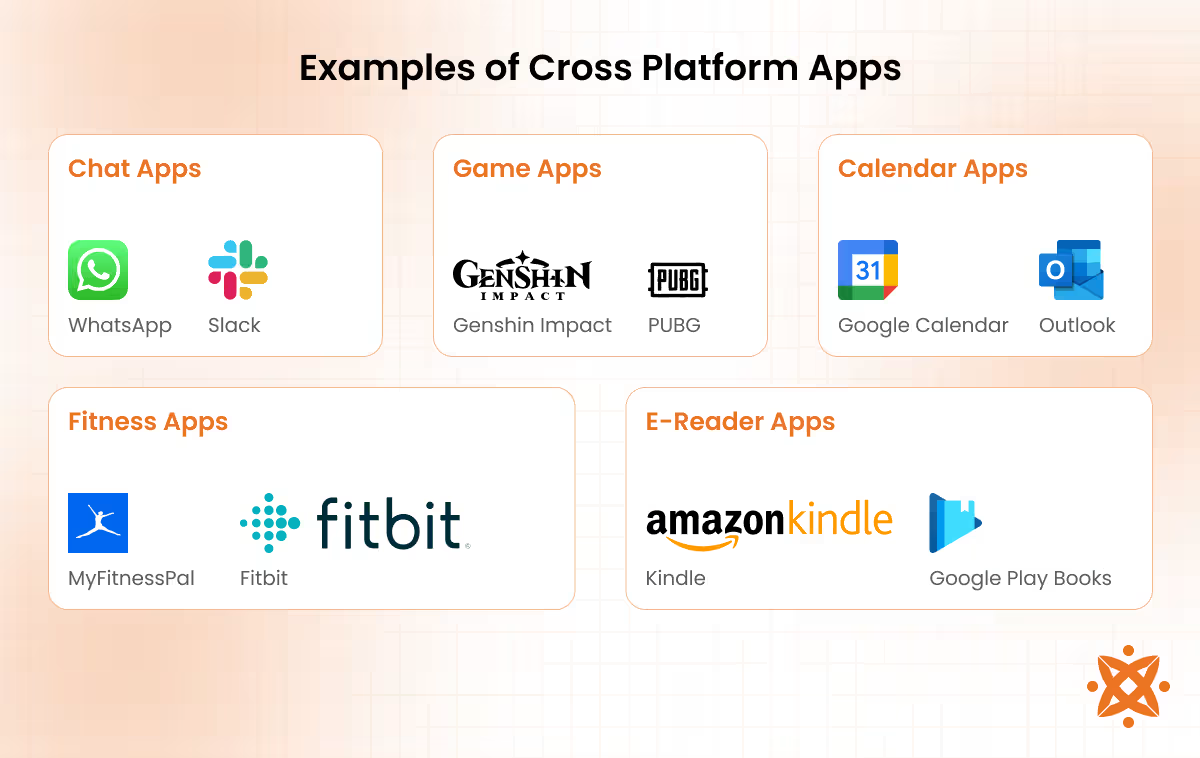
The different examples of cross-platform apps are explained below:
- Chat App: A chat app enables real-time text, voice, and video communication across platforms. It allows users to exchange messages, share files, and connect easily on devices running Android, iOS, and desktop systems. Examples include WhatsApp, which uses a consistent interface and encrypted messaging, and Slack, a workplace chat app offering cross-device compatibility.
- Chess App: A chess app provides a digital platform for players to play chess, track moves, and compete online. Cross-platform chess apps allow users to engage in matches across multiple devices without losing progress. Examples include Chess.com and Lichess, which offer analysis tools, multiplayer options, and user-friendly interfaces on Android and iOS.
- CalendarApp: Calendar apps help users manage schedules, set reminders, and coordinate tasks across multiple platforms. They ensure synced calendars and notifications on different devices. Examples include Google Calendar, which integrates with Google services, and Microsoft Outlook Calendar, which offers robust event management across platforms.
- Contacts App: A contacts app organizes user information, including names, numbers, and emails, across devices. These apps ensure contact syncing, so updates made on one device reflect on all connected platforms. Examples include Google Contacts, which supports cloud synchronization, and iCloud Contacts, ensuring easy access on iOS and integrated platforms.
- EmailApp: Email apps enable users to manage multiple email accounts, send messages, and organize correspondence efficiently. Cross-platform email apps ensure consistency in features and layout. Examples include Microsoft Outlook, which integrates calendar and task functions, and Gmail, which is known for its user-friendly interface and smart inbox features.
- EnterpriseApp: Enterprise apps facilitate business processes, such as project management, customer relationship management, and internal communications, across platforms. These apps improve collaboration and accessibility for employees using various devices. Examples include Trello, a project management tool, and Salesforce, a CRM platform that provides smooth cross-platform usage.
- E-ReaderApp: E-reader apps enable users to access and read digital books or documents on multiple devices. They also synchronize progress, bookmarks, and notes across platforms. Examples include Amazon Kindle, which allows easy eBook reading on Android, iOS, and Kindle devices, and Google Play Books, which supports online and offline reading.
- Fitness App: Fitness apps track workouts, monitor health metrics, and provide exercise routines across platforms. These apps sync data to allow users to access their progress on different devices. Examples include MyFitnessPal, which tracks nutrition and exercise, and Fitbit, which integrates with wearable devices and mobile apps for fitness tracking.
- Finance App: Finance apps help users manage budgets, track expenses, and monitor investments in real-time across platforms. These apps provide a consistent user experience on mobile and desktop systems. Examples include Mint, which offers expense tracking and budgeting tools, and Robinhood, which enables stock trading across devices.
- Game App: Game apps provide entertainment and multiplayer functionality across platforms, allowing users to continue gameplay on any device. Examples include PUBG Mobile, which offers a great gaming experience on Android, iOS, and emulators, and Genshin Impact, a cross-platform adventure game with cloud saves.
- Health App: Health apps monitor health metrics, such as heart rate, sleep, and steps, to promote well-being. These apps sync data across platforms and integrate with wearables. Examples include Apple Health, which works with iOS, and Google Fit, which is compatible with Android and other fitness devices.
- TrackingApp: Tracking apps allow users to monitor activities such as location, deliveries, or fitness goals. They provide real-time data that is accessible across multiple devices. Examples include Google's Find My Device for location tracking and Strava, which tracks cycling and running performance.
How Do Cross-Platform Frameworks Interact with Native OS APIs?
Cross-platform frameworks interact with native OS APIs by bridging Flutter's Platform Channels and React Native's JSI-based native modules. Dart code sends a method call in a MethodChannel, native Kotlin or Swift handles the request and then returns a result through the same pipe in Flutter.
React Native's New Architecture allows the JavaScript thread and native C++ layer to call down functions, skipping the old bridge's serialisation delay. It stays in a single codebase, regardless of the mechanism, while hardware access (GPS, camera, or biometric authentication) routes through a layer written in the OS's own language.
What Is the Difference Between Monorepo and Polyrepo Architectures in Multiplatform Development?
Monorepo in multiplatform development is a single repository that holds shared logic, while Polyrepo architecture is a setup that splits iOS, Android, and backend into their own repositories. Monorepo keeps libraries and folders under one root, letting Nx or Bazel apply commits, whereas polyrepo demands manual coordination through versioned packages or Git submodules.
Monorepo simplifies updates and refactors in one pull request on maintenance, but grows heavier as codebase size increases, while polyrepo keeps builds isolated, but shared UI requires separate publishing. Monorepo suits teams needing unified pipelines for collaboration and scalability, while polyrepo fits larger organisations wanting team autonomy cycles.
How Do You Manage State Effectively Across Unified iOS and Android Codebases?
Manage state effectively across unified iOS and Android codebases through unidirectional architectures (BLoC or Riverpod) in Flutter and Redux or MobX-State-Tree in React Native, keeping business outside the widget or component tree.
Practice requires modelling loading, error, and data states for async calls, persisting session data through Keychain or Android Keystore, and applying one pattern team-wide to prevent architectural drift. Consistency depends on treating the state as a single source of truth shared between screens, despite behavioural differences in the iOS and Android operating systems, which still demand lifecycle handling despite shared logic.
Why Is Kotlin Multiplatform (KMP) Becoming a Strong Alternative to Flutter and React Native?
Kotlin Multiplatform (KMP) is becoming a strong alternative to Flutter and React Native because it compiles shared Kotlin/Native code into native binaries via LLVM, granting access to 100% of native APIs with zero penalty. KMP uses actual declarations and the commonMain source set to network through Ktor. It keeps the UI fully native via Compose Multiplatform, which renders through Skiko rather than mapping to native widgets.
KMP shows leaner binaries, lower GC pause times, and a smaller memory footprint than Flutter's Impeller renderer or React Native's TurboModules architecture. It covers 50-70% of logic when UI stays native, a trade-off enterprises accept for direct integration over Flutter's or React Native's higher UI-inclusive reuse rates.
What are the Benefits of a Cross Platform App?
The benefits of cross-platform apps include reduced development costs and faster deployment, as they use a single codebase for multiple platforms. They also ensure wider audience reach and consistent user experience across Android, iOS, and other devices.
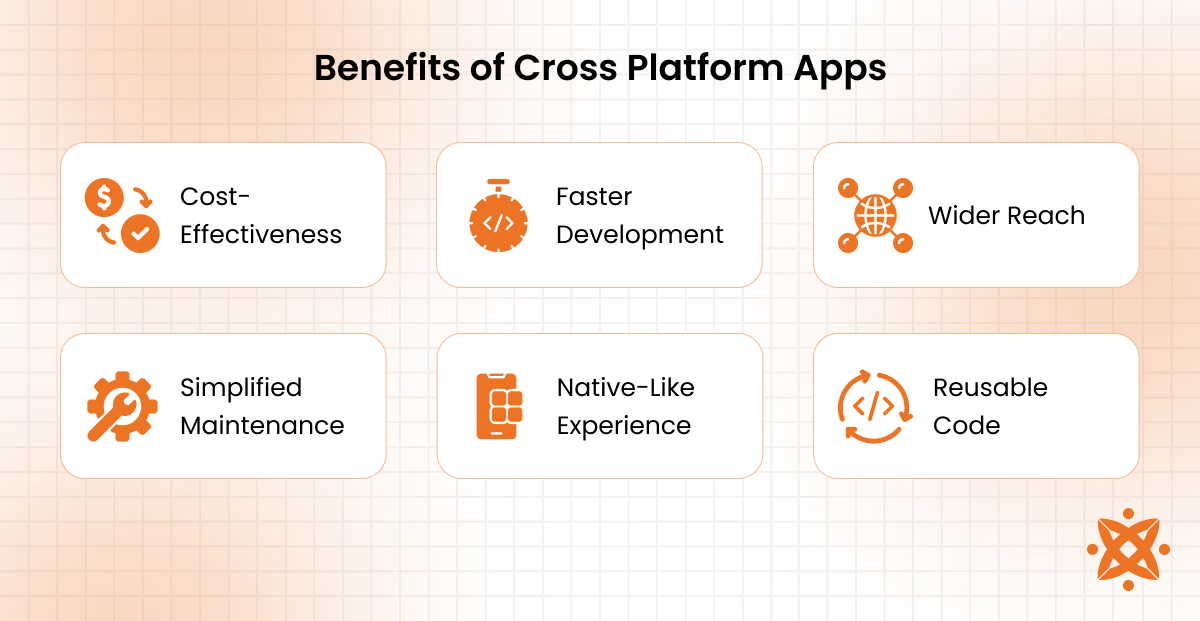
The benefits of a cross-platform app are explained below:
- Cost Efficiency: Cross-platform app development reduces costs by allowing developers to use a single codebase for multiple platforms. Businesses save on development expenses compared to building separate native apps for Android and iOS.
- Faster Development: With a shared codebase, developers spend less time writing and testing code, leading to faster delivery. This enables businesses to bring apps to market quicker than native development.
- WiderAudienceReach: Cross-platform apps work on multiple operating systems, ensuring broader accessibility. Businesses can maximize their user base by targeting both Android and iOS users simultaneously.
- Simplified Maintenance: Since cross-platform apps use a single codebase, updates and bug fixes are implemented once and reflected across all platforms. This reduces maintenance time and ensures consistent app performance.
- Native-Like Experience: Modern frameworks like Flutter and React Native deliver a smooth user experience that closely resembles native apps. Apps access native features like the camera, GPS, and push notifications without performance loss.
- Reusable Code: Developers reuse code components across different platforms, enhancing productivity. This accelerates the development process and minimizes redundancy.
What are the Drawbacks of a Cross Platform App?
The drawbacks of cross-platform apps include lower performance compared to native apps and limitations in accessing advanced platform-specific features. These cons impact the app's functionality and user experience.
The drawbacks of a cross-platform app are explained below:
- Lower Performance: Cross-platform apps may exhibit slower performance compared to native apps due to the additional abstraction layers and frameworks used to translate the code into platform-specific languages. This can be particularly noticeable in resource-intensive applications like gaming or video processing.
- LimitedAccesstoNativeFeatures: Cross-platform apps often struggle to access advanced platform-specific features like hardware sensors or native APIs. To bridge this gap, developers must write custom plugins or modules, which increases the complexity of the development process.
- UserExperienceVariations: It can be difficult to achieve a completely native-like user experience on all platforms. Differences in UI guidelines for Android and iOS lead to slight inconsistencies in the app's design and navigation.
- Dependency on Frameworks: Cross-platform development relies heavily on third-party frameworks like Flutter or React Native, which may lack support for certain features or updates. This dependency limits customization and long-term scalability.
- LargerAppSize: Cross-platform apps tend to have larger file sizes than native apps because they include additional libraries and tools.
What Programming Languages are used in Cross Platform App Development?
The popular programming languages used in cross-platform app development include JavaScript, Dart, C++, Python, Rust, Kotlin, Typescript, and C#. These platforms allow developers to build scalable, cross-platform apps while integrating native features efficiently.
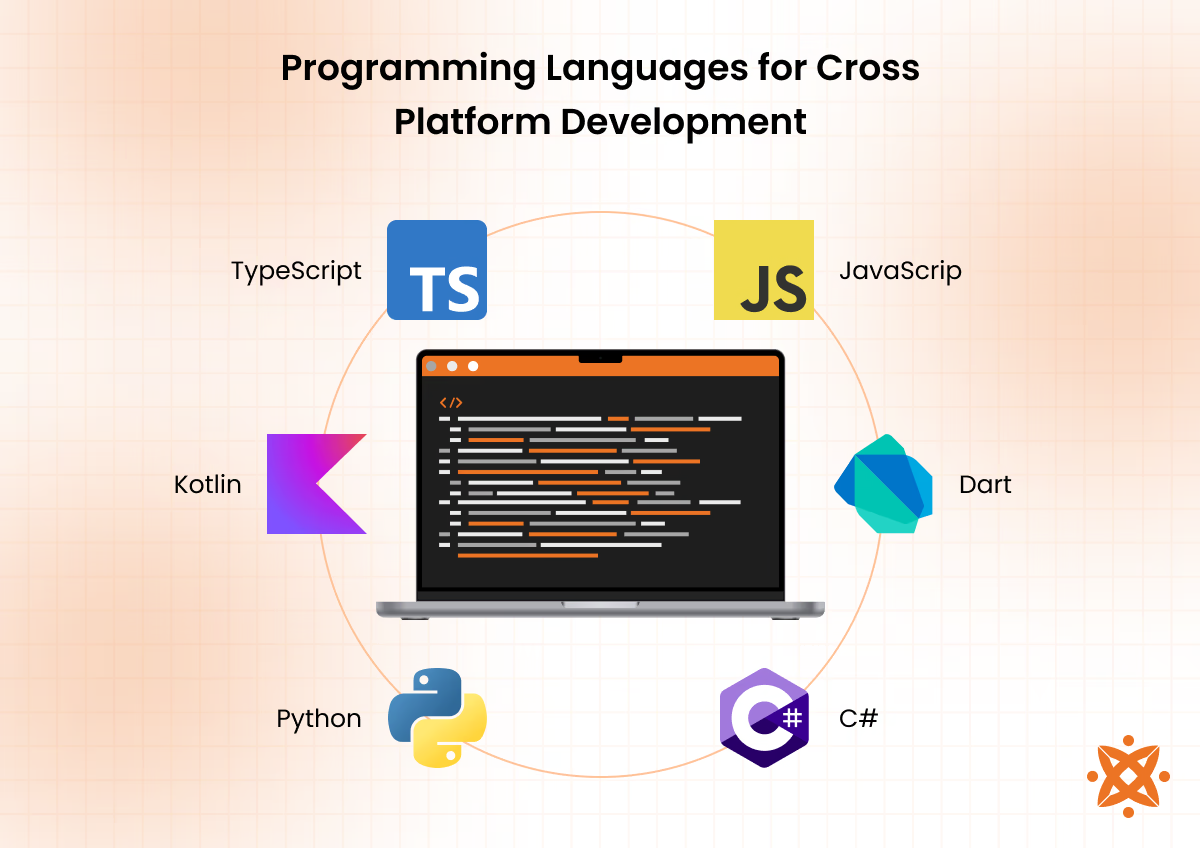
The popular programming languages used in cross-platform app development are explained below:
- JavaScript: JavaScript is widely used for frameworks like React Native and Ionic. These frameworks enable developers to build interactive mobile apps using web-based languages while ensuring smooth performance on both Android and iOS.
- Dart: Dart, the language behind Flutter, is known for its fast compilation and ability to deliver native-like performance. It simplifies app development by offering an optimized single codebase for creating high-performance applications across platforms.
- C#: C# powers frameworks like .NET MAUI and Xamarin, enabling developers to create robust and scalable cross-platform apps. Its compatibility with XAML allows efficient UI design while ensuring smooth integration with native features.
- C++: C++ is valued for its performance and speed, making it ideal for resource-intensive mobile apps and games. It enables developers to reuse core business logic while targeting multiple platforms.
- Python: Python is versatile for cross-platform applications, especially when combined with frameworks like Kivy. It simplifies development and is favored for apps requiring data processing and machine learning integration.
- Rust: Rust offers memory safety and superior performance, making it suitable for high-performance mobile development. Its ability to integrate with native platforms ensures smooth functionality across devices.
- Kotlin: Kotlin, used in Kotlin Multiplatform, allows developers to share code for business logic while building native UIs for each platform. It is particularly effective for reducing development time while maintaining app quality.
- TypeScript: TypeScript enhances JavaScript by adding static typing, making it easier to debug and scale cross-platform apps. It is commonly used with React Native to improve code reliability.
When Should You Choose Cross-Platform over Native App Development?
The factors that influence the decision to choose cross-platform over native app development are listed below.
- Team Language Expertise: A workforce fluent in JavaScript or Dart favours cross-platform frameworks, while existing Swift or Kotlin specialists justify native builds.
- App Store Compliance Risk: Native builds minimise submission rejections, since platform-specific SDKs align directly with Apple and Google review guidelines.
- Plugin and Ecosystem Maturity: Sparse third-party plugin support for a niche integration forces custom native modules, undermining the cross-platform framework's speed advantage.
- Regulatory and Compliance Scope: Industries under GDPR mandates lean toward native, with fewer abstraction layers simplifying audit trails and data-handling proof.
- Rendering Model Fit: Heavy animation, GPU compositing, or interactive visual layers push developers near native rendering pipelines rather than a bridged or canvas-based engine.
- Vendor and Framework Longevity: Volatile release framework disapproval raises long-term risk, favouring native platforms backed directly by Apple or Google.
- Migration and Exit Strategy: Teams planning a gradual shift from prototype to enterprise scale start cross-platform, then migrate modules to the native app once user load and hardware demands grow beyond the shared codebase's limits.
What Are the Crucial Trade-Offs Between PWAs (Progressive Web Apps) and True Cross-Platform Apps?
PWAs (Progressive Web Apps) trade-offs are a browser-dependent build using service workers for caching and offline access, while installing from a URL without app store approval, but bypassing NFC, HealthKit, and deep Bluetooth APIs entirely, and the true cross-platform apps use Flutter or React Native, granting store distribution, and near-native GPU-level performance at the cost of app store review cycles and platform fees.
PWAs suit SEO-indexed products needing instant updates and zero commission, while cross-platform apps suit products needing push notification, biometric security, or App Store discoverability. iOS still restricts background sync and limits Safari's storage quotas for progressive web apps, which true cross-platform frameworks avoid through direct compilation.
How Does the Evolution of Cross-Platform Tools Impact Long-Term Tech Stack Decisions?
The evolution of cross-platform tools impacts long-term tech stack decisions by turning framework maturity into an adoption signal, because Kotlin usage rose from 7% to 18% among respondents in a single year, according to the official source titled "The State of Developer Ecosystem 2025," by JetBrains, October, 2025.
Google's official backing for shared business logic turned the KMP migration path, letting teams share a single module first rather than committing the whole codebase upfront. Organisations in London now expand shared Kotlin layers once a framework proves stable in production.
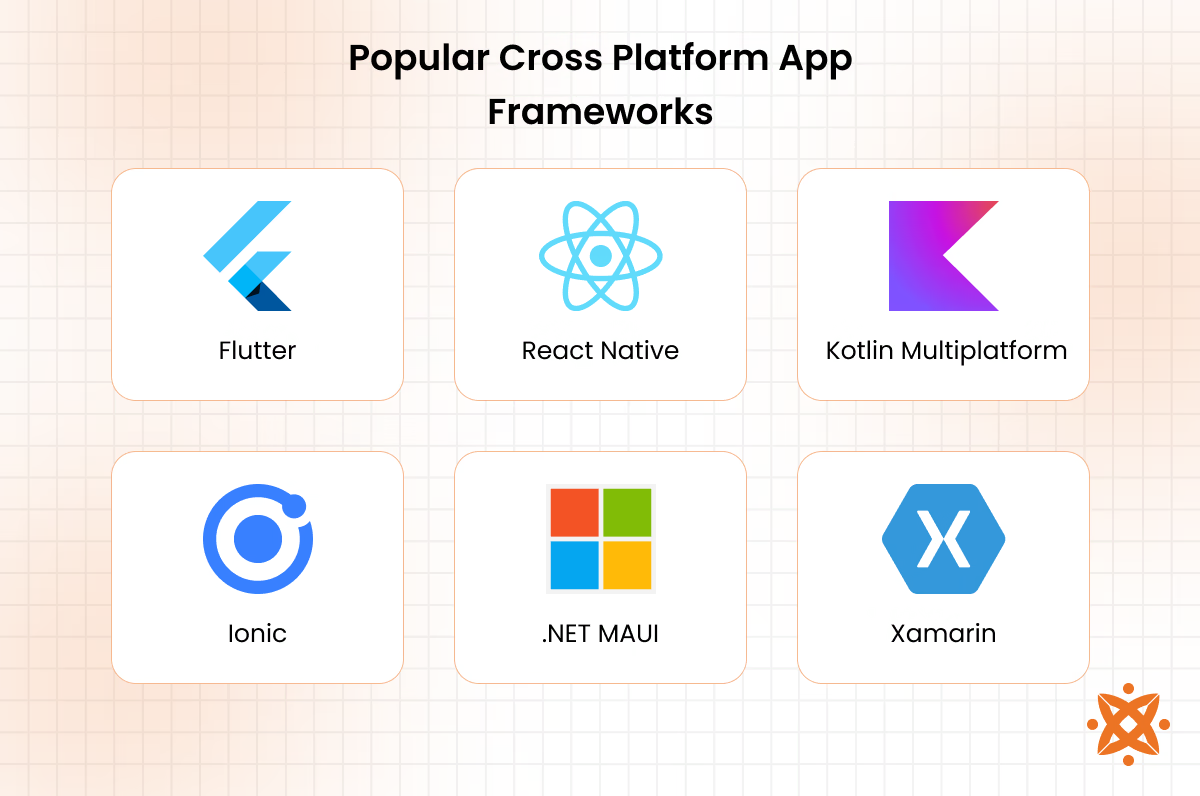
What Popular Frameworks Are Used in Cross Platform App Development?
The popular frameworks used in cross-platform app development include:
- Flutter
- React Native
- Kotlin Multiplatform
- Ionic
- .NET MAUI
- Xamarin
- Sencha
- NativeScript
- Node.js
- Appcelerator Titanium
1. Flutter
Flutter is a cross-platform UI toolkit created by Google that compiles Dart code into native ARM binaries. Flutter precompiles shaders in the build process, eliminating the first-run animation that affected the older Skia renderer.
A widget tree covering Material and Cupertino styling, built-in DevTools for profiling, and Dart 3's sealed classes for safer state handling for the features. It gives teams unified sprints instead of separate iOS and Android backlogs. BMW runs its 96-variant MyBMW owner app on Flutter in 47 countries as an example, while the Flutter app powering SNCF Connect handles France's national rail booking system for 15 million daily commuters.
2. React Native
React Native framework is created by Meta and lets developers write JavaScript or TypeScript once and render true native UI components, rather than drawing pixels through a custom engine. React is the New Architecture, built on JSI, Fabric, and TurboModules, which replaced the old asynchronous JSON bridge with synchronous calls between JavaScript and native code.
The features have CodeGen for compile-time type-safe native bindings, Hermes as the default JavaScript engine for faster cold starts, and lazy-loaded modules that initialise only when a feature is used. Instagram and Discord run production React Native interfaces at scale, while Shopify's checkout shows the New Architecture's rendering gains.
3. Kotlin Multiplatform
Kotlin Multiplatform (KMP) is an open-source project by JetBrains that compiles shared Kotlin code into LLVM for iOS and JVM bytecode for Android. Kotlin include Ktor for networking, SQLDelight for shared persistence, and optional UI sharing through Compose Multiplatform, which renders via Skiko. Netflix uses KMP to share logic in its internal production tools, while enterprises (Cash App) build apps with Kotlin to unify security-sensitive financial logic between their Android and iOS teams.
5. .Net Maui
.NET Multi-platform App UI (MAUI) is Microsoft's cross-platform successor to Xamarin.Forms, letting the team write C# and XAML once and map that code to native controls, UIKit on iOS, Android Views on Android, and WinUI 3 on Windows. Maui's trait is the Handler architecture, which replaced Xamarin's older Renderers, connecting MAUI controls without a web view layer.
The BlazorWebView for embedding Razor components inside a native shell has a single project covering all four target platforms, and Hot Reload for live UI iteration inside Visual Studio. Fidelity's Active Trader Pro serves over 50 million customers through .Net development, while NBC Sports Next rebuilt its Sports Engine app on the framework to unify features.
9. Node.Js
Node.js is built on Google's V8 engine, letting server-side code execute outside the browser through a single-threaded event loop rather than per-request threads. Node.js is a non-blocking I/O since libuv delegates network, file-system, and timer work to a native thread pool, freeing the main thread to keep processing incoming requests.
The cross-platform has Node Package Manager (NPM), the world's largest registry with over 2.5 million packages, the cluster module for distributing load on CPU cores, and native N-API bindings for C/C++ add-ons. Uber and PayPal rely on Node.Js development to handle thousands of concurrent connections per process.
What Does the Cross Platform App Development Process Involve?
The cross-platform app development process involves a structured set of steps that allow developers to create applications compatible with multiple operating systems using a single codebase. This process ensures smooth development, faster delivery, and consistent performance across platforms.
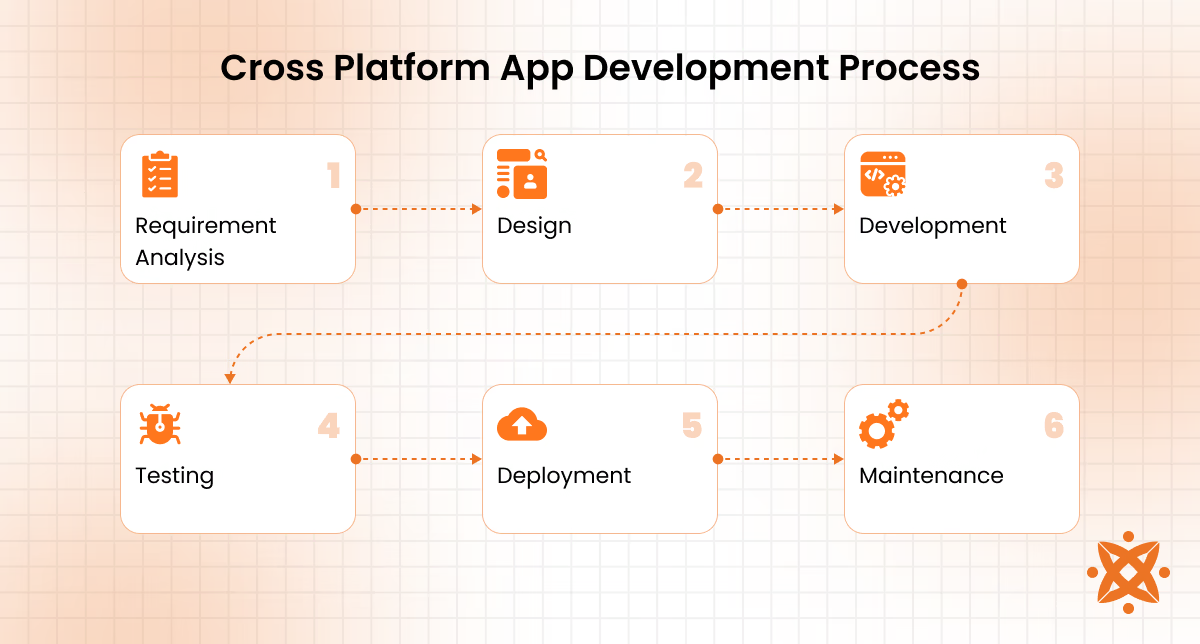
The six steps for cross-platform app development process are explained below:
- Requirement Analysis: This step defines the project's goals, target platforms (Android, iOS, or both), user expectations, and app features. Developers outline the functional and non-functional requirements, ensuring clarity on timelines and deliverables. Tools like Jira, Trello, or Asana are used for project management, while Google Analytics or Firebase helps analyze user needs and behavior.
- Design: Designers create user-friendly and visually consistent UI/UX layouts to deliver an optimal experience across devices. Tools like Figma, Sketch, or Adobe XD are used to create wireframes and prototypes. The focus is on platform-specific guidelines (Material Design for Android, Human Interface Guidelines for iOS) to ensure compatibility.
- Development: Developers write the app's business logic using cross-platform frameworks such as Flutter, React Native, or Kotlin Multiplatform. These frameworks enable the creation of a single codebase that compiles into platform-specific components. Tools like Visual Studio Code, Android Studio, and Xcode are used for coding and integration, while Git-based platforms like GitHub or GitLab help with version control and collaboration.
- Testing: Testing ensures the app functions flawlessly across platforms and devices. Developers conduct unit testing, integration testing, and compatibility testing using tools like Appium, Selenium, and JUnit to identify and resolve bugs. Platforms like Firebase Test Lab and BrowserStack enable real-device testing for multiple environments.
- Deployment: Once development and testing are complete, the app is deployed to respective platforms, such as the Google Play Store for Android and the Apple App Store for iOS. Tools like Fastlane automate deployment processes, while app store guidelines ensure compliance with submission requirements.
- MaintenanceandUpdates: After deployment, the app is continuously monitored for issues, user feedback, and performance metrics. Tools like Firebase Analytics, Crashlytics, and New Relic provide insights into bugs and crashes while updates are released to improve features and compatibility with new operating system versions.
What Are the Hidden Maintenance Costs of Cross-Platform Apps After Launch?
The hidden maintenance costs of cross-platform apps after launch are the "bridge tax," where every OS-level feature the framework does not support forces a custom workaround, for hours per release cycle. Third-party dependency breakage is a recurring drain too, as plugins and native modules stop working after a major OS release and require patching before the app even reaches store review.
Debugging grows costlier since a bug originates in the shared codebase, the native bridge, or the platform layer itself, and pinpointing which one demands cross-stack expertise, a cost most teams underestimate before their mobile app launch.
How Do You Calculate the True ROI of Shifting to a Unified Codebase?
Calculate the true ROI of shifting to a unified codebase by weighing the Total Cost of Ownership against quantifiable benefits over a three-to-five-year period. Factors of the value include the labour savings from merging two native teams into one, the reduced QA cycles from testing one build instead of two, the migration or retraining cost for teams learning Dart, Kotlin, or JavaScript, and the offsetting "bridge tax" of writing custom native workarounds when the framework lacks a feature.
A formula is:
| ROI = ((Total Benefits − Total Costs) ÷ Total Costs) × 100 |
The Total Benefits combine labour savings, faster time-to-market revenue, and reduced maintenance hours, while Total Costs cover migration, training, tooling, and ongoing framework-specific fixes. For example, a tech company saving £165,000 annually in developer hours against a £120,000 migration and training cost posts an ROI of roughly 38% in year one alone, before compounding in later years.
What Compliance and GDPR Standards Must a UK Cross-Platform App Meet?
Compliance and GDPR standards that a UK cross-platform app must meet are the UK Data Protection Act 2018, by the ICO and recently amended by the Data (Use and Access) Act 2025, requiring privacy by design, logged consent evidence in iOS and Android, and breach reporting within 72 hours.
Shared codebases still must reconcile platform-specific rules separately, including the iOS App Tracking Transparency, Android's permission dashboard, and PECR cookie consent, since device identifiers (advertising IDs) count as personal data needing a documented legal basis. Non-UK developers targeting UK users need an Article 27 representative, with penalties reaching £17.5 million or 4% of global turnover for serious breaches.
What is the Cost of Developing a Cross-Platform App?
The average cost of developing a cross-platform app ranges between £15,000 and £20,000, depending on the app's complexity, features, and target platforms.
Simple apps with basic functionality cost between £15,000 and £20,000, while moderately complex apps requiring features like APIs, payment systems, or third-party integrations cost between £20,000 and £50,000.
Highly complex applications, such as enterprise solutions or apps requiring real-time features, advanced UI/UX, and custom integrations, can cost upwards of £100,000 or more.
Several factors influence the total cost of developing a cross-platform app. Development time and the app's complexity are the primary cost drivers.
Adding more features, such as push notifications, payment gateways, and offline capabilities, increases development time and expenses.
The choice of framework also impacts costs; frameworks like Flutter or React Native are cost-efficient, while custom integrations or platform-specific modules require additional investment.
Other contributing factors include developer rates, which vary globally. For example, developers in the US charge an average of £78-£118/hour, while those in Eastern Europe or Asia typically charge between £24–£55/hour.
Additionally, costs for app maintenance and updates must be considered, accounting for approximately 15–20% of the initial development cost annually. Tools like Firebase Analytics and testing platforms like BrowserStack incur additional costs for performance monitoring and testing.
What is the Difference Between a Cross-Platform App and a Web App?
The primary difference between a cross-platform app and a web app lies in its functionality and access to device features.
A cross-platform app is installed directly on devices like Android or iOS. It uses a single codebase to provide a native-like user experience with access to device APIs, such as the camera, GPS, and offline storage. In contrast, a web app runs through a browser, requires an active internet connection, and has limited access to device-specific features.
What is the Difference Between a Cross-Platform App and a Native App?
The main difference between a cross-platform app and a native app lies in their development approach and performance.
A native app is built specifically for a single platform, such as Android (using Kotlin or Java) or iOS (using Swift). It ensures optimal performance and seamless integration with platform-specific features.
On the other hand, a cross-platform app uses a single codebase to run on multiple platforms. It offers faster development but slightly reduced performance compared to native apps.
According to a study by Statista titled “Mobile App Development Trends” (2023), native apps deliver 10–20% better performance than cross-platform apps due to their direct access to platform-specific APIs.
However, cross-platform apps reduce development time and costs by up to 40%, making them ideal for businesses seeking faster market entry with broad platform compatibility.
What is the Difference Between a Cross-Platform App and a Progressive Web App?
The key difference between a cross-platform app and a Progressive Web App (PWA) lies in its installation and functionality.
A cross-platform app is installed on devices like Android or iOS and can access native features such as cameras, GPS, and offline storage. In contrast, a PWA runs within a web browser, offering limited access to device-specific features and requiring an active internet connection for full functionality.
According to a study by Google Developers titled “The State of PWAs” (2022), PWAs are 68% smaller in file size compared to cross-platform apps and load faster due to their lightweight nature.
What is the Difference Between a Cross-Platform App and a Hybrid App?
The main difference between a cross-platform app and a hybrid app lies in its development structure and performance.
A cross-platform app uses a single codebase compiled into native components, ensuring near-native performance and smooth user experience across platforms like Android and iOS.
In contrast, a hybrid app combines web technologies (HTML, CSS, JavaScript) with a native container, relying on WebViews to run within a browser-like environment, which can limit performance and responsiveness.
What is The Difference Between a Cross-Platform App and a Desktop App?
The main difference between a cross-platform app and a desktop app lies in their targeted devices and accessibility.
A cross-platform app is designed to run on mobile platforms like Android and iOS, while a desktop app is built specifically for operating systems such as Windows, macOS, or Linux.
Desktop apps offer higher processing power and access to platform-specific features, whereas cross-platform apps focus on portability and broader accessibility across multiple devices.
While desktop apps excel at handling resource-heavy tasks like video editing or software development, cross-platform apps provide mobility, accessibility, and a unified experience across devices, making them ideal for modern business and consumer needs.
How to Choose a Cross-Platform App Development Company in the UK?
To choose a cross-platform app development company in the UK, evaluate its experience with frameworks such as Flutter and React Native, review previous cross-platform projects, assess technical expertise, and verify its ability to provide ongoing maintenance and support. A development partner should demonstrate experience in building scalable applications for both Android and iOS using a single codebase.