Fitness Apps: Workout and Health Apps

Co-Founder
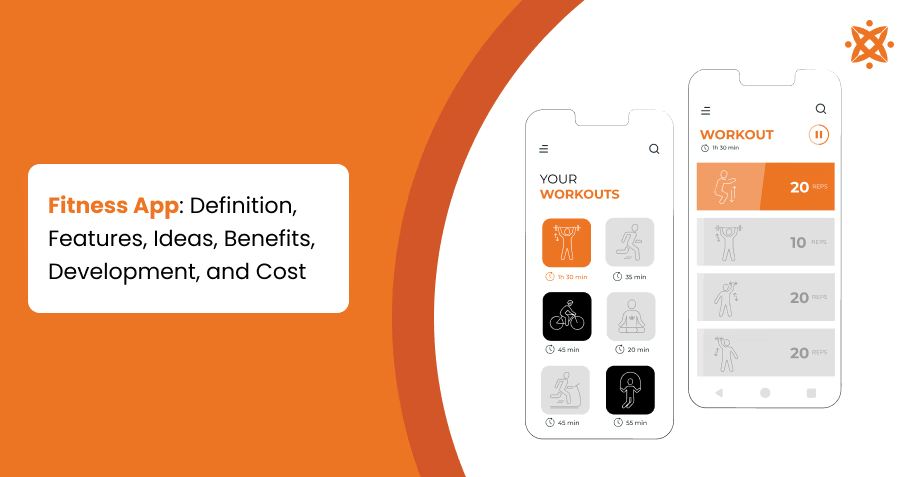
A fitness app is a category of mobile app used to promote physical activity and health through workout plans and progress analysis. Fitness apps generated $3.58 billion in revenue with 368 million active users globally. It includes virtual coaching and specialised tools for running, cycling, or yoga.
Development follows stages of market research, UI/UX design, backend and frontend work, testing, and deployment. Intuitive interfaces with functionality boost user engagement, and app development ensures the app's costs are between £15,000 and £20,000, which helps users have their own counter-sedentary behaviour through a quality fitness app.
What Is A Fitness App?
A fitness app is built to track exercise, monitor health metrics, and guide users through training plans using data and wearable sensor integration. Nearly 2 out of every 3 adults in England live with excess weight, a challenge the government has targeted through incentive-based fitness app pilots that reward users for physical activity, according to the report titled "New Pilot to Help People Eat Better and Exercise More," GOV.UK, October, 2021.
A fitness app centres on athletic performance, workout programming, and analytics rather than broader productivity functions, making it a category within the mobile app.
What Are The Different Fitness App Ideas?
The different app ideas are listed below.
- Workout Tracking App: Users record sets, repetitions, and rest intervals for every strength and cardio session.
- Fitness Tracker App: The app connects with wearable sensors to capture step counts, heart rate readings, and calorie burn.
- Exercise Planner App: The system creates customised training routines based on fitness goals, available equipment, and schedule constraints.
- Personal Training App: Certified coaches guide users through personalised workout regimens and correct exercise form remotely.
- Home Workout App: The library offers equipment-free exercises for users training without gym access.
- Running Tracker App: The tool maps outdoor routes via GPS and measures pace, distance, and elevation change.
- Strength Training App: Lifters track progressive overload metrics in muscle groups and workout cycles.
- AI Fitness Coach App: Machine learning algorithms adjust workout intensity according to real-time performance data.
How To Develop A Fitness App
To develop a fitness app, follow the 6 steps listed below.
- Define The Niche of Your App.
- Research Competitor Apps.
- Design The User Interface.
- Integrate Wearable APIs.
- Build The Backend Infrastructure.
- Test the App on all Devices
Define The Niche of Your App.
The first step in developing a fitness app is defining its niche by identifying the target audience, fitness category, user goals, and primary use case. This process determines the app's purpose, feature requirements, and overall user experience.
For example, an app for runners focuses on tracking routes and pacing, while a yoga app emphasizes guided sessions and flexibility routines. Clear objectives, such as reducing sedentary lifestyles or improving activity tracking, provide a roadmap for features and design.
Research Competitor Apps.
Researching competitor apps involves analysing existing fitness applications to evaluate their features, user experience, pricing models, monetisation strategies, user reviews, and market positioning. This process helps identify market gaps, common user expectations, and opportunities for differentiation.
Design The User Interface.
The app's user interface should be easy to navigate, consistent, and optimised for fitness activities. A well-designed UI allows users to access workout plans, calorie trackers, progress dashboards, and other features with minimal steps.
UX design focuses on clear navigation, logical user flows, and responsive interactions to support task completion across different devices.
Develop Core Features and Functionalities.
Develop core features by implementing workout tracking, activity monitoring, goal setting, nutrition logging, and wearable integration where required. The selected features should support the app's fitness niche and user requirements.
For example, a running app focuses on route mapping and pace analysis, while a yoga app offers pose tutorials and meditation exercises. These functionalities ensure the app effectively caters to its intended purpose.
Implement Security Measures.
Security measures protect personal and health data collected by the fitness app. These measures include data encryption, secure authentication, access controls, and compliance with regulations such as GDPR.
Protecting sensitive information reduces the risk of unauthorised access and supports compliance with applicable data protection requirements.
Test the App Before Launch
Testing verifies that the fitness app functions correctly across supported devices, operating systems, and usage scenarios. The process includes functional testing, usability testing, performance testing, and compatibility testing.
Testing is one of the final stages to build an app, ensuring every feature functions correctly before the application is released to users.
What Are the Key Features of a Fitness App?
The key features of a fitness app are listed below.
- User Profiles and Goal Setting: The system stores demographic data, fitness goals, and personal benchmarks for recommendations.
- Workout Plans and Exercise Libraries: The repository catalogues video tutorials and training programs by muscle group.
- Activity and Workout Tracking: The tool records repetitions, sets, distance, and calorie burn in real time.
- Progress Monitoring and Analytics: The dashboard visualises performance trends, body composition changes, and goal completion rates.
- Wearable Device Integration: The app syncs data from smartwatches, fitness bands, and heart rate monitors automatically.
- Notifications and Reminders: The feature sends alerts for scheduled workouts, hydration goals, and milestone achievements.
- Community and Social Features: The app enables leaderboards, friend competitions, and achievement sharing in networks.
- In-App Payments and Subscriptions: The system processes premium membership fees and coaching package purchases securely.
How Do Fitness Apps Improve User Engagement?
Fitness apps improve user engagement through badges, streaks, and leaderboards that reward activity. Push notifications and workout reminders pull users back into the app at optimal times. Social features (friend challenges) sustain interest by adding competition.
How Do Fitness Apps Support Fitness Goal Tracking?
Fitness apps support goal tracking by letting users set weight loss, step counts, or strength benchmarks, then log daily progress against them. Visual dashboards and charts display trends over weeks or months, making gradual gains easy to see.
The continuous feedback loop helps users adjust their routines before they fall off track.
How Do Fitness Apps Encourage Workout Consistency?
Fitness apps encourage consistency through scheduled reminders, streak counters, and habit-building features that flag missed sessions immediately.
The app sends motivational nudges based on a user's activity history, prompting a return after a lapse. Reward systems tied to milestones increase the habit loop over time.
How Can Businesses Benefit From Fitness Apps?
Businesses benefit from fitness apps through subscriptions, in-app purchases, and premium coaching packages. Apps generate user data on behaviour and preferences, which supports targeted marketing and product improvements.
A well-designed app strengthens brand loyalty by keeping users engaged with the business daily.
What Technologies Are Used in Fitness App Development?
The different technologies used in fitness app development are listed below.
- Wearable API Integration: The fitness app synchronises with Fitbit, Garmin, and Apple HealthKit to pull heart rate, VO2 max, and sleep cycle data.
- Machine Learning Algorithms: Predictive models analyse user behaviour patterns and generate training plans based on history.
- Cloud Computing Infrastructure: Platforms (AWS and Google Cloud) store user data and enable real-time synchronisation.
- GPS and Geolocation Tracking: Location-based sensors calculate distance, pace, and elevation gain in outdoor running and cycling sessions.
- Bluetooth Low Energy (BLE) Connectivity: Wireless protocols link the app to external sensors (heart rate monitors and smart scales).
- Blockchain-Based Reward Systems: Decentralised ledgers verify workout achievements and distribute cryptocurrency incentives for milestone completion.
What Programming Languages Are Used for Fitness Apps?
The programming languages that are used for fitness apps are Swift and Objective-C for iOS, Kotlin and Java for Android, and Dart for cross-platform development.
JavaScript supports cross-platform builds from a single codebase, reducing the need for separate iOS and Android teams. Python powers backend logic and machine learning components for personalised recommendations in apps that analyse workout patterns. C++ appears in performance-heavy modules (real-time sensor) data processing from wearables.
What Frameworks Are Used for Fitness App Development?
The frameworks that are used for fitness app development are SwiftUI and UIKit for building native iOS interfaces, and Jetpack Compose for native Android screens. Ionic and Xamarin offer cross-platform options, and TensorFlow Lite and Core ML integrate into the frameworks to run on-device machine learning models.
Firebase SDK plugs into handling authentication and push notifications without custom backend code.
What Backend Technologies Support Fitness Apps?
The backend technologies that support fitness apps are Express.js and Ruby on Rails, which provide server-side routing and API endpoints. GraphQL is used with REST APIs to let mobile clients request only the specific workout or profile data they need, reducing bandwidth usage.
What Databases Are Used in Fitness Applications?
The databases that are used in fitness applications are MongoDB and Firebase Firestore for the flexibility of user profiles, workout logs, and activity streams. PostgreSQL and MySQL handle subscription billing and transaction history where data integrity matters most.
What Is The Cost Of Developing A Fitness App?
The cost of developing a fitness app ranges from £15,000 to £20,000, depending on feature complexity and backend requirements.
Basic apps with workout tracking and simple UI sit at the lower bracket, while advanced builds with AI, wearable integration, and social features push budgets higher. UX/UI design, third-party API licensing, and QA testing form the app development cost with server hosting fees post-launch.
What Are The Benefits Of A Fitness App?
The benefits of using fitness apps include custom workout plans, progress tracking, improved health management, and convenience in maintaining fitness routines. These apps provide tools for setting fitness goals, monitoring daily activities, and maintaining accountability, making it easier for users to stay consistent.
Fitness apps excel in individualization by offering customized plans for activities such as running, yoga, and cycling. Social features enhance user motivation by creating a sense of community through shared challenges and progress updates.
These apps also save time and money by providing virtual coaching and insights without the need for expensive trainers or gym memberships. Data analytics further empower users by offering clear metrics on their health and fitness progress.
Can You Design A Fitness App With AI?
Yes, you can design a fitness app with AI, and it is increasingly becoming a standard approach in app development. AI enhances fitness apps by enabling distinctive recommendations, real-time feedback, and adaptive workout plans attuned to individual user data.
AI-based fitness apps analyze user metrics, such as activity levels, heart rate, and fitness goals, to provide dynamic suggestions for workouts and nutrition. Features like virtual coaching, automated tracking, and predictive analytics help users achieve their goals more efficiently.
AI also supports advanced functionalities, such as analyzing form during exercises or creating adaptive schedules based on progress. This technology ensures a highly customized experience, making fitness more engaging and results-oriented.
Can You Develop A Fitness App Using React Native?
Yes, React Native is a popular framework for developing fitness apps, offering cross-platform compatibility and efficient development processes. It allows developers to create a single codebase that works seamlessly on both iOS and Android, reducing costs and time.
Fitness apps built with React Native integrate features like workout tracking, goal setting, and social sharing. The framework supports third-party libraries and APIs for activity tracking, payment systems, and data analytics.
React Native also enables the creation of visually appealing and responsive user interfaces, ensuring a smooth experience across devices.
Can You Develop A Fitness App Using Kotlin?
Yes, you can develop a fitness app using Kotlin. Kotlin is an excellent choice for developing fitness apps specifically for Android devices. It is the official programming language for Android app development and offers concise syntax, high performance, and seamless integration with existing Java code.
Fitness apps developed with Kotlin include features such as workout tracking, activity monitoring, and individual goal-setting. Its compatibility with modern development tools and libraries helps developers create intuitive user interfaces and robust backend.
Kotlin’s stability and efficiency make it ideal for building reliable fitness applications that perform well on Android devices.
How To Choose A Fitness App Development Agency
To choose a fitness app development agency, evaluate their experience, technical expertise, and familiarity with the fitness industry. A strong agency should have a portfolio showcasing apps with features like workout tracking, goal setting, and data integration, demonstrating their capability to deliver a high-quality product.
Research the agency’s previous projects to understand its ability to design intuitive user interfaces and implement advanced tools such as AI or cloud-based services. Ensure it provides clear communication, detailed timelines, and post-launch support to handle updates and technical maintenance efficiently.
Selecting an agency with a transparent approach and industry-specific insights ensures that you retain the objectives of your health fitness app development.
What Is The Difference Between A Fitness App And A Health App?
The difference between a fitness app and a health app lies in their primary focus. Fitness apps are designed to enhance physical activity by offering workout plans, activity tracking, and goal-setting features, while health apps focus on overall well-being, including tracking vital signs, managing chronic conditions, and monitoring sleep and nutrition.
Fitness apps emphasize physical performance through features like exercise tracking, running routes, and cycling metrics. Health apps take a broader approach, integrating medical data, wearable devices, and personalized health insights.
While both apps overlap in functionality, their core objectives remain to personify and target physical improvement, with health apps focusing on holistic health management.
How To Make A Fitness App For Free
To make a fitness app for free, use no-code or low-code platforms that offer free plans or trials, such as AppGyver or Adalo. These tools provide pre-designed templates and drag-and-drop functionality, allowing users to create basic apps without programming knowledge.
Start by defining your app's core features, such as workout tracking or activity monitoring, and implement them using the platform’s available components. While these platforms enable free development, additional costs arise for advanced features or publishing the app on app stores.
Free tools are a good starting point for a fully functional app, but professional-level features require paid upgrades.
How Do You Define Your Target Audience and Business Goals?
To define your target audience and business goals, there are five steps to follow. First, segment users by fitness level, distinguishing between beginners and intermediate athletes. Second, identify a niche within the workout app (strength training, HIIT, or rehabilitation).
Third, establish objectives, including monthly active users and average revenue per user (ARPU). Fourth, align the monetisation model, if subscription-based, freemium, or one-time purchase, with the target demographic's behaviour. Lastly, define performance indicators to track user engagement and revenue growth against the stated business goals.
How Do You Research the Market and Analyse Competitors?
To research the market and analyse competitors, follow the six steps listed below.
- Identify Direct Competitors. List existing fitness apps that target the same niche (strength training, running, or nutrition tracking).
- Analyse App Store Reviews. Examine user reviews and ratings on apps to uncover recurring complaints and unmet needs.
- Evaluate Feature Sets. Compare workout libraries, tracking tools, and social features in competitor apps to spot gaps.
- Assess Pricing Models. Review subscription tiers and in-app purchase structures used by competing training apps to inform pricing strategy.
- Study User Acquisition Tactics. Research competitors' marketing channels, influencer partnerships, and app store optimisation techniques.
- Compile A Positioning Strategy. Consolidate findings into a plan that highlights value, informed in part by a design, and defines the edge in the market.
How Do You Design an Effective Fitness App UI and UX?
To design an effective fitness app UI and UX, follow the five steps listed below.
- Map User Journeys. Chart the screens a user touches from onboarding through goal-setting to daily workout logging.
- Simplify Navigation Architecture. Reduce menu depth so users reach core features (logging a session) within two taps.
- Establish Visual Hierarchy. Prioritise metrics (calories burned and streaks) through size, colour, and placement on the dashboard.
- Design for One-Handed Use. Position buttons within thumb reach, since users interact with a health app mid-workout.
- Test Usability With Real Users. Run prototype sessions with target athletes and friction points based on feedback, applying core UX design principles to finalise the interface before development begins.
How Do You Build the Core Features of a Fitness App?
To build the core features of a fitness app, there are five steps to follow. First, develop user authentication and profile setup (biometric data and equipment access). Second, build the workout logging engine by enabling users to record sets, reps, distance, and duration in sessions. Third, integrate data feeds by connecting APIs to pull heart rate and calorie metrics automatically. Fourth, construct an analytics dashboard by visualising trends in strength gains, weight changes, and workout frequency over time, because an app for exercise relies on feedback to keep users engaged. Lastly, implement push notification logic by triggering reminders for hydration goals and milestone achievements.
How Do You Integrate Wearables and Third-Party Services?
To integrate wearables and third-party services, follow the four steps listed below.
- Connect Wearable APIs. Link the app to Fitbit, Garmin, and Apple HealthKit to pull heart rate, step count, and sleep data.
- Configure Bluetooth Protocols. Enable Bluetooth Low Energy connections to sync data from smart scales and chest strap monitors in real time.
- Integrate Payment Gateways. Embed services (Stripe or PayPal) to process subscription fees and in-app purchases securely.
- Set Up Cloud Storage APIs. Connect backend infrastructure to AWS or Google Cloud to store synced data and enable cross-device access.
How Do You Ensure Security and Data Privacy Compliance?
To ensure security and data privacy compliance, developers implement AES-256 encryption for biometric records, payment details, and user credentials stored within the fitness app.
The General Data Protection Regulation (GDPR) govern health data collection, storage, and consent management, requiring strict adherence throughout the app's architecture. Secure authentication protocols, including multi-factor authentication and OAuth, prevent unauthorised access to user accounts, while regular penetration testing and scans identify and patch potential breaches within the app infrastructure.
How Do You Test and Launch a Fitness App?
To test and launch a fitness app, there are five steps to follow. First, conduct unit testing by verifying code components before integration. Second, perform usability testing by observing target athletes navigate onboarding and logging screens to spot friction points.
Third, run load testing by simulating concurrent users syncing wearable data to confirm server stability. Fourth, execute cross-device testing on iPhone and Android models and OSc versions. Lastly, submit the finished build for App Store Review before launching a beta version and deploying the public release.
How Do You Choose a Fitness App Development Company?
The factors to consider when choosing a fitness app development company are listed below.
- Portfolio and Case Studies: Clients review past fitness app projects to assess design quality and technical capability.
- Industry Experience: Companies with prior health and wellness app builds understand wearable integrations and compliance requirements faster.
- Technical Stack Expertise: Development teams demonstrate proficiency in Swift, Kotlin, or Flutter depending on the target app.
- Client Testimonials and Reviews: Previous clients share feedback on communication, timeline adherence, and post-launch support quality.
- Post-Launch Support Services: Agencies offer ongoing maintenance, bug fixes, and feature updates after the app's initial release.
How Can You Create a Fitness App for Free?
To create a fitness app for free, follow the six steps listed below.
- Use A No-Code Platform. Build the app interface using tools (Adalo or Bubble) without writing custom code.
- Select A Free Template. Choose a pre-built fitness app template that includes workout logging and profile screens.
- Customise The Branding Elements. Adjust colours, fonts, and logos within the template to match the desired app identity.
- Integrate Free API Services. Connect free tiers of Firebase or Google Fit to enable data storage and step tracking.
- Test On Personal Devices. Load the app onto a personal phone through the no-code platform's preview feature to check functionality.
- Publish To A Free Hosting Tier. Deploy the app using the platform's free hosting plan to make it accessible to initial users.
What Factors Affect Fitness App Development Costs?
The factors that affect the cost of fitness app development are listed below.
- Data Compliance Scope: Apps handling health records under GDPR require additional legal review and security architecture.
- Wearable Device Range: Supporting multiple brands (Garmin, Fitbit, and Whoop) multiplies API integration and testing work.
- Content Licensing Fees: Video-based workout libraries require licensing agreements with trainers or fitness content studios.
- Localisation Requirements: Translating the app and adapting units, currencies, or dietary content for multiple regions extends timelines.
- AI Model Training: Building custom machine learning models for form correction or coaching demands specialised data science resources.
- Offline Functionality: Enabling workout tracking without internet access requires additional local storage and sync logic once reconnected.
- App Maintenance Cadence: Frequent OS updates from Apple and Google necessitate regular compatibility patches, adding to the app development cost over the app's lifecycle.
What Is the Difference Between a Fitness App and a Health App?
Fitness apps focus on exercise tracking, workout programming, and metrics (pace and calorie burn), while health apps cover broader wellness monitoring (nutrition logging, sleep quality, and medication reminders).
Fitness apps prioritise athletic output and physical training, while health apps integrate holistic data points ranging from mental wellbeing and vital signs to clinical records. Its categories rely on wearable synchronisation and biometric sensor data to generate health insights.
Can AI Be Used in Fitness App Development?
Yes, AI can be used in fitness app development to power workout recommendations, form correction through computer vision, and analytics on user trends. Machine learning models analyse activity data to adjust training intensity and prevent overtraining or injury risk.
AI chatbots handle customer support queries and deliver coaching prompts based on biometric feedback.