20 Different Types of Websites

Co-Founder
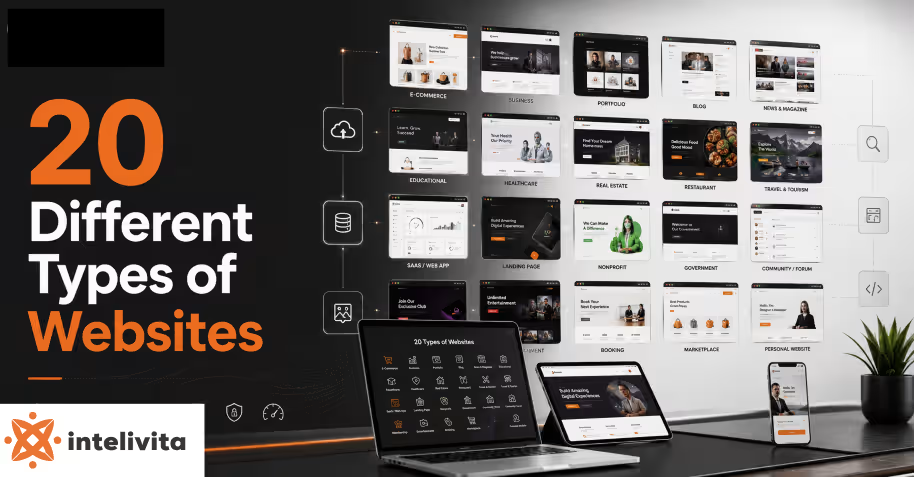
The twenty different websites in the UK include web apps, static, dynamic, WordPress, and portfolio websites, followed by other categories developed for different industries. The major types of websites vary because each is built to achieve different goals, support different features, use suitable technologies, require different levels of development effort, and address different requirements.
Website selection depends on the business target audience, budget, development costs, and project timelines. Websites provide comprehensive information on multiple pages. Landing pages focus on a single conversion, while web apps allow users to complete tasks, making each option suitable for different purposes.
Examples of different types of websites are listed below.
- Web App Website
- Static Website
- Dynamic Website
- WordPress Website
- Portfolio Website
- Sticky Website
- Business Website
- E-commerce Website
- Blog Website
- Personal Website
- News and Magazine Website
- Educational Website
- Social Media Website
- Forum and Community Website
- Government Website
- Nonprofit and Charity Website
- Web Portal Website
- Membership Website
- Entertainment and Media Website
- Web Application (SaaS) Website
1. Web App Website
A web app website is a browser-based application built for interactivity, using React paired with backend systems (Node.js), letting users process data, complete tasks, and work together in real time. The web app replaces manual steps with automated digital workflows, powering tools (dashboards, booking systems and project trackers).
Development reaches 8 to 20 weeks depending on how complex the features are, and it falls under the dynamic website category, with closer to custom software than plain content pages, which is why technical teams treat a web app website as a working tool rather than a simple information site.
2. Static Website
A static website is a set of fixed HTML, CSS and JavaScript pages, built within 1 to 4 weeks since no database or server-side scripting is required. Each page loads with pre-written content that stays the same for every visitor, unlike pages that pull information from a backend system.
Static is within the fixed-content category, standing apart from sites that generate pages on request, which keeps hosting simple and load speed fast. The static website presents brochure-style information, portfolios or landing pages where content rarely changes and quick delivery matters more than interactivity.
3. Dynamic Website
A dynamic website is a site that builds its pages on request, pulling content from a database through server-side languages (PHP, Python or Node.js), so the layout stays fixed while the information inside changes per user.
Creating a dynamic site takes 6 to 12 weeks, because developers set up backend logic, database schemas and Content Management Systems (WordPress). The dynamic belongs to the interactive category, separating it from fixed-page sites that show the same content to everyone. Choosing a dynamic website is recommended when content needs to be updated or shifted per visitor.
4. WordPress Website
WordPress website runs on an open-source Content Management System that now powers 41.9% of all websites, holding 60% of the CMS market and outpacing every rival (Shopify or Wix). WordPress takes 2 to 8 weeks because themes, page builders (Elementor) and a library of over 60,000 plugins speed up development compared with custom coding. It falls under the CMS category, with static templates and backend functionality through PHP and MySQL. The WordPress website exists to give site owners blogs, stores and corporate portals without needing a developer for every content update.
5. Portfolio Website
Portfolio website shows a person's or agency's completed work through images, case studies and testimonials, built within 1 to 3 weeks using Webflow, Squarespace or custom HTML and CSS. It belongs to the presentation category.
Designers, photographers and developers rely on it to display credibility, with sites (Behance) profiles or personal domains serving as common examples. The portfolio websiteconverts viewers into clients by proving skill through visual evidence rather than written claims alone.
6. Sticky Website
A sticky website is designed for engagement rather than a page, using features (recommendations, widgets). Sticky falls under the engagement category, applying to dynamic and e-commerce sites.
Achieving stickiness takes 4 to 5 weeks of UX planning and content strategy on top of the base build, with platforms (YouTube and Reddit) showing the effect through autoplay and personalised feeds. The sticky website lowers bounce rate, extends session time and strengthens the ranking signals tied to genuine user behaviour.
7. Business Website
A business website presents a company's products, services and credentials to customers, in 3 to 6 weeks using platforms (WordPress, Webflow or custom frameworks). Business site is a corporate or informational category, prioritising trust signals (client testimonials, case studies) over frequent content updates.
Apple, Slack and HubSpot show the format well, pairing navigation with calls-to-action (CTA) that guide visitors toward inquiries or purchases. A business website is used to establish credibility and generate leads, functioning as a digital storefront that operates without needing a physical location.
8. E-commerce Website
An E-commerce website enables direct product sales through online storefronts, shopping carts and secure payment gateways, built within 6 to 12 weeks using platforms (Shopify, WooCommerce or Magento), depending on catalogue size. Internet sales made up 27.3% of total UK retail in April 2026, with online spending averaging roughly £2.8 billion a week, according to the ONS Retail Sales Index.
E-commerce is a transaction category, requiring inventory management, order processing and checkout security beyond what informational sites need. The E-commerce website exists to move retail online, giving SMEs a direct sales channel.
9. Blog Website
A blog website uses to publish articles regularly, arranged in reverse chronological order, in 1 to 3 weeks using WordPress, Ghost or Substack, depending on monetisation needs. Blog is under the content-publishing category, prioritising fresh posts, categorisation and reader engagement through comments over static.
Sites like TechCrunch, HubSpot's blog and Neil Patel's platform show a blog structure pairing posting schedules with SEO-optimised headlines that give organic search traffic. Theblog websitebuilds authority and audience loyalty over time, turning regular readers into subscribers, customers or advertising revenue.
10. Personal Website
A personal website reflects a user’s identity, mixing a blog, life updates and honest opinions instead of a curated list of work. The personal site takes just 1 to 2 weeks, because the layout stays light and content-led.
The self-expression category covers the format, setting it apart from a portfolio's structure, as posts here range from travel notes to personal essays with no commercial angle. Public figures like Tim Ferriss and Seth Godin run theirs to build a following around their thinking, proving that a personal website exists to let users show who they are, beyond a list of accomplishments.
11. News and Magazine Website
A news and magazine website publishes time-sensitive articles and features, organised by section. The site takes within 4 to 8 weeks on a CMS able to handle high article volume and traffic. 51% of users still get their news through publisher sites and apps, overtaken by social media and video networks at 54%.
News and magazine sites within the publishing category demand fast load times and backend architecture for constant content turnover. The BBC and The Guardian show how news and magazine website stay central to public information despite growing platform competition.
12. Educational Website
An educational website provides learning content through courses, lessons and resources, ranging from simple school portals to full learning management systems. The educational site sits within the knowledge category, using Moodle, Canvas or custom LMS frameworks to organise content around curricula.
Creating the site takes 4 to 10 weeks, depending on features (quizzes, progress tracking and video hosting). Sites like Khan Academy and Coursera show structures with assessments that measure learner progress, so an educational website exists to make learning accessible outside a physical classroom, supporting self-paced study, certification or institutional teaching.
13. Social Media Website
A social media website connects users through profiles, posts, comments and real-time interaction, relying on complex backend systems to handle feeds, notifications and messaging at scale. Socmed is a network category, built on frameworks capable of managing content, algorithms and heavy concurrent traffic.
Building a functional version takes 6 to 12 months, given the scale of real-time features required. Facebook, Instagram and Reddit show how community and content sharing push daily active use, so a Social Media website exists to connect users and let them build communities around shared interests.
14. Forum and Community Website
A forum and community website organises discussions into threads and categories, letting users post questions, replies and opinions around shared interests, structured through software like Discourse, phpBB. Moderation tools, voting systems and user reputation keep conversations organised within the discussion category.
Reddit and Quora show how threads and community voting surface the most useful answers, proving that a well-built forum turns questions into a searchable knowledge base over time. A forum and community website takes 2 to 4 months to create, depending on the moderation features and member management tools required.
15. Government Website
A government website delivers public services, official information and civic resources, built with strict accessibility standards and security protocols since it handles sensitive citizen data and transactions.
GOV.UK stands as the leading example, consolidating over 25 UK government departments and services into 1 unified platform with design and plain language throughout.
It is under a public-service category, prioritising navigation over marketing content so residents complete tasks (renewing a passport or paying tax) without confusion. Compliance testing, accessibility audits and security clearances stretch the build timeline for a government website to 6 or 12 months before launch.
16. Nonprofit and Charity Website
A nonprofit and charity website centres on a cause with storytelling, donation forms and volunteer sign-ups to turn visitor empathy into support. The charity takes 2 to 4 months to build, since donation processing, volunteer databases and campaign pages all need careful integration and testing.
Oxfam and the British Red Cross have a clear impact in the community with secure payment gateways (PayPal or Stripe) to process one-off and recurring gifts. A nonprofit and charity website leans on trust signals (transparency reports and testimonials) within the cause category, and donors want proof that their contribution creates real change.
17. Web Portal Website
A web portal website acts as a single gateway to multiple services, tools and data sources, letting logged-in users access personalised dashboards, documents and applications from one login.
A portal takes 3 to 6 months to build, integrating different backend systems, and user roles and permissions demand more engineering than a standard content site. Employee intranets, university student portals and banking dashboards are examples of a portal site. A web portal website has less published content and more to organise access, pulling data from multiple systems into one interface, sitting within the aggregation category.
18. Membership Website
A membership website restricts content, tools or community access behind a login, using tiered subscriptions to separate free visitors from paying members who unlock premium material. Platforms like Patreon and Skool show the model well, with gated content and community features to keep subscribers engaged.
Setting up subscription tiers, payment processing and member dashboards takes 2 to 5 months, depending on how complex the access rules and billing cycles are. The site is an access-controlled category, and the membership website relies on payment gateways, user authentication and content-drip scheduling.
19. Entertainment and Media Website
An entertainment and media website is a platform that streams or showcases video, music, games or celebrity news to hold attention through autoplay, recommendations and constant content refreshes.
Netflix and Spotify are large media sites with libraries and personalised algorithms that keep users watching or listening longer. Heavy media hosting, streaming and licensing agreements push the build timeline for an entertainment and media website to 4 to 8 months. The site is an engagement category, prioritising session length and repeat visits over one-time conversions, since revenue comes from subscriptions, ads or pay-per-view.
20. Web Application (SaaS) Website
A web application (SaaS) website is a platform that delivers software as a subscription service through the browser, letting users access project management, accounting or design software without installing anything locally.
Slack and Canva updates automatically for every subscriber. The SaaS is a subscription category, relying on multi-tenant architecture, user authentication and cloud infrastructure. Complex backend logic and billing integration for a web application (SaaS) website takes 6 to 12 months, depending on feature scope and user load.
How many Types of Websites are there?
There are 20 types of websites, classified into different categories based on their purpose, functionality, target audience, user interaction, and content management requirements.
The factors distinguish website types by defining how content is delivered, determining available features, supporting different user actions, and meeting personal, commercial, educational, or organisational objectives. The website meaning helps explain why they are grouped according to function, content structure, and intended use.
How are Websites Categorised?
Websites are categorised through classification methods that evaluate purpose, functionality, target audience, and underlying technology. Purpose defines the website's objective, and functionality determines the features and level of user interaction.
The audience identifies who the website is designed to serve, while technology classifies websites by the platforms, frameworks, or content management systems used to build and maintain them. The methods provide a way to classify websites based on how they operate and who they are intended to support.
Why are there Different Types of Websites?
There are different types of websites because no single structure serves every goal a business or individual has. A store needs checkout functionality, while a blog needs frequent content updates instead. Audience behaviour moulds design too, as a government portal prioritises accessibility and plain language, while a social media platform prioritises real-time interaction and content sharing.
Technology requirements vary just as much, with static sites suiting simple, rarely changing information and dynamic sites suiting personalised experiences. The distinctions exist so developers match to function, avoiding the inefficiency of forcing one template to handle every possible use case.
Which Technologies are Used to Develop Different Types of Websites?
Technologies used to develop different website types are listed below.
- HTML and CSS: Static and business websites rely on the markup and styling languages to structure content and control visual presentation on every page.
- JavaScript: Interactive elements (dropdown menus, sliders and form validation) depend on the scripting language for real-time browser functionality.
- PHP: Dynamic websites and WordPress installations process server-side logic through PHP, connecting forms and content to backend databases.
- Python (Django/Flask): Web applications and platforms use the frameworks to handle complex backend operations and rapid development cycles.
- Node.js: Real-time features (chat systems and live notifications) on social media and forum websites run through the JavaScript runtime environment.
- React and Vue: Single-page applications and SaaS dashboards build interfaces using the frontend JavaScript libraries.
- MySQL and MongoDB: Dynamic content, user accounts and e-commerce inventories get stored and retrieved through the relational and NoSQL database systems.
- WordPress: Blogs, portfolios and small business sites launch quickly using the content management system's themes and plugin ecosystem.
- Shopify and WooCommerce: E-commerce websites process product listings, checkout flows, and payment integration through the online store platforms.
- AWS and Google Cloud: Web portals and SaaS platforms scale their infrastructure and storage needs through the cloud hosting providers, and choosing the right stack in the web development technologies depends on project scope, traffic expectations and functionality.
How Much Does It Cost to Build Different Types of Websites?
The cost to build different types of websites is listed below.
- Personal Website: £1,500 to £5,000 covers domain, hosting and a template-based build.
- eCommerce Website: £10,000 to £50,000 depends on product volume, payment gateways and inventory management complexity.
- MVP Website: £5,000 to £10,000 funds a stripped-down build meant to test core functionality first.
- Custom Website: £8,000 to £15,000 covers a custom design to specific business needs.
- SaaS Website: £10,000 to £15,000 supports subscription billing and cloud-hosted software delivery.
- Educational Website: £8,000 to £15,000 covers course structuring and progress-tracking features.
- Web Portal: £10,000 to £15,000 reflects multi-system integration and permission-based access.
- Entertainment Website: £8,000 to £15,000 supports media hosting and content-heavy layouts.
- Social Media Website: £10,000 to £15,000 reflects the backend complexity behind website cost for real-time feeds, messaging and large-scale user interaction.
How Long Does It Take to Build Different Website Types?
The timelines to build for different website types are listed below.
- Web App Website: Development has 8 to 20 weeks, depending on feature complexity.
- Static Website: Turnaround runs 1 to 4 weeks with no database required.
- Dynamic Website: Backend setup ranges from 6 to 12 weeks for database and CMS configuration.
- WordPress Website: Launch time takes 2 to 8 weeks using themes and plugins.
- Portfolio Website: Completion takes 1 to 3 weeks for a presentation-focused layout.
- Sticky Website: Engagement design adds 4 to 5 weeks on top of the base build.
- Business Website: Delivery falls within 3 to 6 weeks for custom design and CTAs.
- E-commerce Website: Full setup runs 6 to 12 weeks for payment and checkout systems.
- Blog Website: Rollout takes 1 to 3 weeks with standard CMS setup.
- Personal Website: Deployment needs just 1 to 2 weeks for a light, content-led build.
- News and Magazine Website: Development extends 4 to 8 weeks for high-volume content handling.
- Educational Website: Build time ranges from 4 to 10 weeks, depending on course features.
- Social Media Website: Full rollout takes 6 to 12 months for real-time infrastructure.
- Forum and Community Website: Setup requires 2 to 4 months for moderation and member tools.
- Government Website: Launch stretches 6 to 12 months for compliance and security clearances.
- Nonprofit and Charity Website: Completion needs 2 to 4 months for donation integrations.
- Web Portal Website: Integration work spans 3 to 6 months for backend and permissions.
- Membership Website: Configuration takes 2 to 5 months, depending on billing complexity.
- Entertainment and Media Website: Full development runs 4 to 8 months for media hosting and licensing.
- Web Application (SaaS) Website: Complete rollout takes 6 to 12 months, because the time to build a website in the category scales with features and user load.
How Can Web Development Services Help Build Different Types of Websites?
Web development services help build different types of websites through planning, custom design, development, testing, and deployment customised to user requirements.
Developers select suitable technologies, implement required features, and optimise website performance based on its intended purpose. Partnering with a web development company like Intelivita ensures each website is built with long-term maintainability.
How Is a Landing Page Different From a Website?
A landing page is different from a website by design intent. Landing focuses on one single conversion goal, and not on multiple pages of general information. It strips away navigation menus and outbound links to keep visitors focused on one action, while a full website supports browsing in services, blog posts and contact details.
A landing page pairs with a specific ad campaign or product launch, while a website serves as a brand's permanent digital presence. A landing page works best for short-term campaigns needing fast conversions, while a full website suits long-term visibility and ongoing content.
What Makes an Effective Landing Page?
An effective landing page centres on one clear conversion goal, with navigation so visitors focus on a single CTA. A strong headline, benefit-led copy, and trust signals (testimonials) build credibility fast, while mobile speed keeps visitors from bouncing.
Landing pages built to convert far better than general web pages, with businesses running over 10 landing pages seeing 55% more leads.
How Do Landing Pages Improve Conversions?
Landing pages improve conversions through a design that removes distractions and directs visitors toward a single call to action (CTA), signing up, downloading, or making a purchase.
Clear messaging and fast loading speeds encourage users to complete the intended action. Landing pages increase conversion rates more effectively than general website pages by reducing navigation options and aligning content with user intent.
When Should You Use a Landing Page?
You should use a landing page when the goal is to generate leads, promote a product, collect sign-ups, or support a paid advertising campaign. A landing page focuses visitor attention on one call to action with minimal distractions, unlike a multi-page website. It improves the campaign by guiding users toward a conversion goal.
What Is the Difference Between a Website and a Web Application?
A website is a collection of web pages that provides information, while a web application is an interactive platform that allows users to perform tasks, manage data, or complete transactions.
Websites deliver content through navigation, and web apps support user authentication, real-time processing, and personalised interactions. The web application features help distinguish it from a website by its functionality, user interaction, and task-oriented design.
How Do Static Websites Compare to Dynamic Websites?
Static websites display fixed content that remains the same for every visitor, while dynamic websites generate content in real time based on user input, database information, or processing.
Static websites offer faster loading speeds and simpler maintenance, while dynamic websites provide features, personalised content, and frequent updates. Thestatic websites are ideal for portfolios and landing pages with infrequently changing content, while dynamic websites are better suited for platforms that require regular updates.
Why Should Every Type of Website Be Mobile Responsive?
Every type of website should be mobile-responsive because most users browse the internet on smartphones and expect websites to load quickly, display correctly, and function on any screen size.
A responsive design improves usability and search visibility. Implementing responsive web development ensures websites adapt to different screen sizes, helping retain visitors and improve engagement.