Saas Development: Guide for Saas Applications

Co-Founder
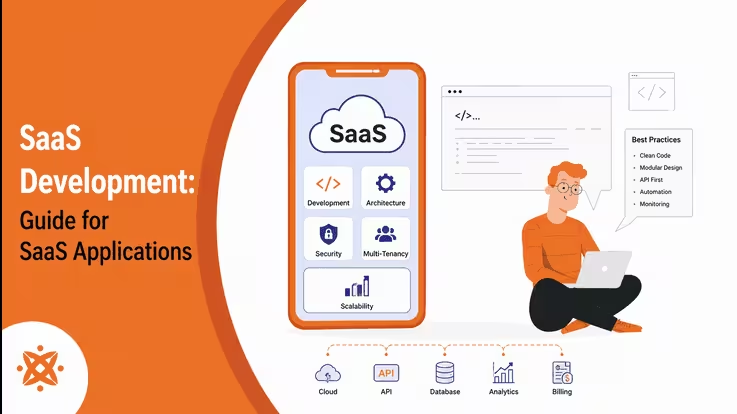
SaaS development is building and maintaining cloud-hosted software that UK tech company subscribe to rather than install, releasing revenue and reduced spending. The guide walks through the process behind saas apps, which includes planning and multi-tenant setup, before covering the technologies that power modern platforms (AWS and Azure).
SaaS outlines role-based access and analytics dashboards, with best practices (automated testing and API documentation). It addresses what happens after launch, including how teams scale under demand and maintain the app through patches, monitoring, and updates. All guided by software development principles that keep the application stable after release.
What is SaaS Application Development?
Software as a Service (SaaS) application development is the process of building web-based software that runs on cloud servers, allowing users to access SaaS applications through a browser without installing anything. SaaS uses a shared model called multi-tenant architecture, where a single version of the software serves customers at once.
UK businesses keep moving to cloud-hosted models because a saas app removes the need for expensive hardware and lets the provider handle maintenance and improvements on the customer's behalf.
Why Should Your Business Invest in SaaS Platform Development?
Your business should invest in SaaS platform development because it delivers scalability, adding server resources when demand spikes and reducing them to control costs. SaaS development supports tiered subscriptions, freemium upgrades, and usage-based billing, generating Monthly Recurring Revenue (MRR) instead of one-off licence fees.
SaaS lowers maintenance costs on hardware upkeep, in-house IT staffing, and manual patching, while cloud hosting on networks gives users worldwide access with uptime above 99.9%.
What Are the Different Types of SaaS Applications?
The different types of SaaS applications are listed below.
- Customer Relationship Management (CRM) SaaS: Sales teams track leads and client interactions through Salesforce.
- Enterprise Resource Planning (ERP) SaaS: Organisations manage finance and inventory from one cloud system.
- Human Resource Management (HRM) SaaS: HR teams handle payroll and recruitment through Workday.
- Project Management SaaS: Teams track tasks and deadlines using Asana or Trello.
- Collaboration SaaS: Employees share files and message instantly through Slack.
- Accounting and Billing SaaS: Businesses generate invoices and manage subscriptions using QuickBooks.
- Marketing Automation SaaS: Marketers schedule campaigns and track engagement through HubSpot.
- E-commerce SaaS: Retailers build storefronts and process payments using Shopify.
- Content Management System (CMS) SaaS: Content teams publish and organise web pages through hosted platforms (WordPress).
- Vertical SaaS: Industry-specific businesses (healthcare firms) use software built for their regulatory needs.
What Does the SaaS Software Development Process Look Like?
The SaaS software development process looks like a pipeline that starts with ideation and market validation, where technical teams define features and target tenants before writing code. SaaS software development moves into UI/UX wireframing using Figma, followed by architecture setup where engineers configure multi-tenancy through shared databases or isolated schemas per client.
Backend teams build GraphQL APIs to handle authentication, billing, and data exchange between modules, forming the backbone of SaaS platform development. The entire software development process runs through CI/CD pipelines (Jenkins or GitHub Actions). It tests and deploys updates to production without downtime once coded.
How Do You Choose the Right Architecture and Tech Stack for Your SaaS?
Choose the right architecture and tech stack for your SaaS by evaluating the hosting model, database strategy, frontend framework, and API design as the four core pillars.
Teams weigh single-tenant versus shared-instance hosting and pick between PostgreSQL and MongoDB depending on how tenant data needs separation in SaaS application development. Frontend choices (React or Vue) pair with backend languages (Node.js or Python), while GraphQL or REST APIs determine how the product connects with third-party tools down the line.
What Should You Look For in SaaS Application Development Services?
The things to look for in SaaS application development services are listed below.
- Technical Expertise: Developers show proven skill in cloud platforms AWS, Azure, or Google Cloud.
- Portfolio and Case Studies: Prior projects reveal experience with subscription billing systems.
- Security Certifications: Teams hold compliance credentials (SOC 2, GDPR, or ISO 27001).
- Scalability Planning: Engineers design a substructure that handles growth from beta users to enterprise clients.
- DevOps Capability: The partner maintains CI/CD pipelines for automated testing and deployment.
- Post-Launch Support: Contracts include maintenance, bug fixes, and feature updates after release.
- Communication Process: Regular sprint updates keep clients informed throughout the build, which is why founders must partner with a software development company that prioritises accountability.
How Much Does it Cost to Build a Custom SaaS Application?
It costs £8,000 to over £35,000 to build a custom SaaS application, depending on if the business needs a lean MVP or a full-scale platform.
Simple MVPs with basic features and limited backend logic sit near the £8,000 to £20,000 range, while SaaS with functionality, APIs, and enterprise-grade architecture climbs past £35,000. Team location, backend complexity, and the number of third-party integrations
(payment gateways or CRM tools) Shift the final quote.
What Are the Core Components of a SaaS Platform?
The core components of a SaaS platform are listed below.
- User Authentication: Users log in securely through methods like single sign-on (SSO) or multi-factor authentication.
- Subscription Billing Engine: The SaaS processes recurring payments, invoices, and plan upgrades automatically.
- Admin Dashboard: Administrators manage users, permissions, and system settings from a central panel.
- API Layer: The platform connects with third-party tools and services through RESTful or GraphQL APIs.
- Notification System: Users receive real-time alerts through email, SMS, or in-app messages.
- Analytics and Reporting Module: SaaS tracks usage patterns and generates performance insights for tenants.
- Load Balancer: Traffic distributes in servers to maintain uptime when in high demand.
What Is the Difference Between Saas and IaaS?
SaaS is a cloud model where the provider delivers a ready-to-use software app, while Infrastructure as a Service (IaaS) is a model that supplies raw computing resources (servers, storage, and networking) to be configured by the user.
Cloud models rely on the same cloud infrastructure and follow subscription-based or pay-as-you-go pricing, cutting the need for on-site hardware. SaaS handles maintenance, updates, and security, while IaaS leaves OS, middleware, and app management to the customer's own IT team.
What Is the Difference Between SaaS and PaaS?
SaaS operates by providing fully built software that helps users without the need for coding or configuration on their part. Platform as a Service (PaaS) operates by giving developers a managed environment, complete with runtime, middleware, and tools, to build and deploy their own applications on top of it.
The services share the same cloud foundation and subscription-style pricing, but SaaS suits businesses in London that want a product, while PaaS suits teams that want to build the system.
What Are the Best Features of a Successful SaaS App?
The best features of a successful SaaS app are listed below.
- Intuitive Onboarding: New users complete setup and reach core value within minutes, not hours.
- Strong Security: The SaaS applies encryption, role-based access, and compliance standards (SOC 2).
- Consistent Integrations: The app connects with tools (Slack, Salesforce, or Zapier) through open APIs.
- Scalable Performance: Infrastructure handles traffic spikes without slowing response times or crashing.
- Customisable Dashboards: Users modify views, reports, and widgets to match their own workflows.
- Reliable Uptime: The provider guarantees consistent availability, above 99.9%, through redundant servers.
- Responsive Customer Support: Users reach live chat, email, or ticketing support within short response windows.
How Do You Develop a SaaS Platform from Scratch?
To know how to develop a SaaS platform from scratch, follow the six steps listed below.
- Validate the Idea. Research target users and confirm demand through surveys or competitor analysis before writing any code.
- Design the Architecture. Choose between single-tenant and multi-tenant infrastructure and select a cloud provider (AWS or Azure).
- Build the MVP. Develop core features first, using React or Node.js, to test the product with early users.
- Integrate Billing and Authentication. Add subscription billing through tools (Stripe) and secure login through OAuth or SSO.
- Test Carefully. Run security, load, and usability tests to catch bugs before public release, since teams that develop apps avoid costly post-launch fixes.
- Deploy and Monitor. Launch the platform through CI/CD pipelines and track performance metrics to guide future updates.
How Do You Choose the Right SaaS Development Services Provider?
To choose the right SaaS development services provider, there are four steps to follow. First, check their portfolio by reviewing prior work on multi-tenant architecture, subscription billing, and cloud deployment relevant to the industry. Second, verify technical certifications by confirming security compliance standards (SOC 2 or ISO 27001) to ensure the provider handles sensitive tenant data responsibly.
Third, review the development process by examining sprint cycles, milestone reporting, and post-launch support terms within the contract. Lastly, request client references by asking for case studies that confirm the provider delivers projects on time and within budget.
How Do You Launch a SaaS App After Development?
To launch a SaaS an app after development, follow the seven steps listed below.
- Finalise Deployment Environment. Configure production servers on AWS or Azure and confirm SSL certificates before going live.
- Set Up Monitoring Tools. Install performance trackers (Datadog or New Relic) to catch server errors and downtime immediately.
- Prepare Onboarding Materials. Create tutorials, tooltips, and help centre articles that guide first-time users through core features.
- Configure Payment Gateways. Connect billing platforms (Stripe or Chargebee) and test transactions in all subscription tiers.
- Run a Soft Launch. Release the app to a limited group of beta users and collect feedback before public rollout.
- Execute Marketing Campaigns. Publish launch content in email, social channels, and product directories (Product Hunt) to drive signups.
- Gather User Feedback. Track support tickets and usage data closely in the first weeks, since a mobile app launch phase relies on identifying bugs and prioritising fixes.
What Are Examples of Successful SaaS Apps?
The examples of successful SaaS apps are listed below.
- Salesforce
- Slack
- Zoom
- Dropbox
- HubSpot
- Shopify
- Asana
- Netflix
- Google Workspace
- Zendesk
- QuickBooks Online